 BondLink
Internet bonding for Windows
Every connection.One fast line.
BondLink splits your traffic packet by packet across Wi-Fi, Ethernet and your phone, then joins it back on your own server. One download, one video call, one game: the combined speed.
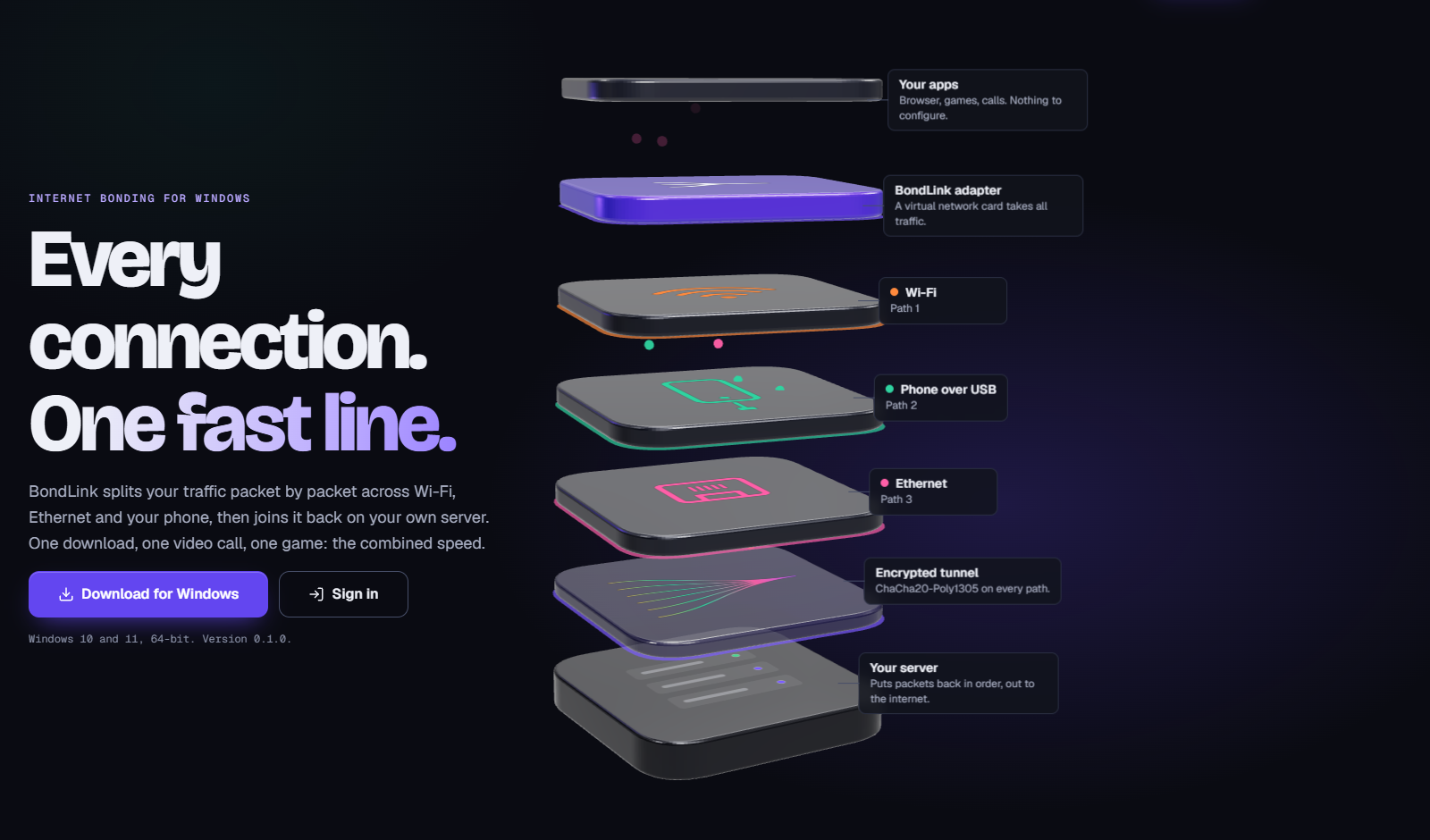
- Your apps: Browser, games, calls. Nothing to configure.
- BondLink adapter: A virtual network card takes all traffic.
- Wi-Fi: Path 1
- Phone over USB: Path 2
- Ethernet: Path 3
- Encrypted tunnel: ChaCha20-Poly1305 on every path.
- Your server: Puts packets back in order, out to the internet.
How it works
Not a download manager. The whole PC.
Download managers speed up files by opening one connection per network. A video, a game or a speed test is a single connection, and it stays on one network.
BondLink works below the apps. Each packet leaves on the network where it will arrive first, so fast links carry more and a slow link never holds the stream back. The server restores the order and sends replies back the same way.
- Wi-Fi
- Phone
- Ethernet
- One connection
Measured
Numbers
29.9Mbit/s
one TCP download through the bond
- about 1 suntil a dead network's traffic moves to the others
- 30.6 msping while idle, the same as the fastest link
- 76 bytesprotocol overhead per packet, about 5%
Test bench: three links shaped to 20, 10 and 5 Mbit/s with real TCP (iperf3). Your result depends on your networks and the server.
What it does
Built for one connection at a time
- 01
Single-connection bonding
A speed test, a 4K stream or one large download gets the sum of your networks, not just the best one.
- 02
Failover you do not notice
Unplug the phone or lose the Wi-Fi: its traffic moves to the remaining networks in about a second, and the connection stays up.
- 03
Game and call mode
Small real-time packets take the lowest-latency network with a copy on the second best, delivered without waiting.
- 04
Plug and play networks
Any network with internet joins on its own within two seconds: extra Wi-Fi adapters, Ethernet, a USB-tethered phone.
- 05
Encrypted end to end
Noise IK handshake, a key per device, ChaCha20-Poly1305 on every packet. The server key is pinned in your device link.
- 06
Your own server
Runs in Docker on your VPS. Accounts, traffic quotas and live sessions in the admin console.
Get started
Three steps, about two minutes
Install
Run the installer once. It adds the BondLink service and the tray icon.
Paste your link
Your admin sends a link that starts with bondlink://. Paste it in the BondLink window.
Plug in networks
Connect a second Wi-Fi, a cable or your phone with USB tethering. Each joins on its own.
Good to know
What bonding cannot do
- The combined speed never exceeds what the server itself can carry.
- Websites see the server's IP address and country, not yours.
- Latency is your path to the server, so pick a server close to you.
- Two networks from the same router are one internet line. Use different providers.